

AI Learning Hub › Learn AI › Self-Paced Courses › Gemini Notebook: Working with Sources You Choose › Create from the Notebook
Module 7 · Intermediate
Create from the Notebook
Studio outputs as transformations of the source set, what a report, a data table and an audio overview each preserve of their provenance, and how to ask for what the format drops.
The Studio panel turns a source set into something other than a conversation. The useful way to think about these outputs is as transformations: same material, different shape. The shape you choose affects how much of the provenance survives, and that varies more than you would expect.
Observed on a Stanford account in October 2026, the Studio panel offered Audio Overview, Video Overview, Report, Quiz, Data Table, Slide Deck, Mind Map, Flashcards and Infographic. The panel’s own empty-state text also mentioned a Study Guide, which was not one of the buttons. Inventories like this change; the three outputs below were tested in depth and are described from observation.
Report
A report was generated from a seven-source notebook, choosing the interactive format and the one offered template. It produced a multi-section document with a contents rail, an introduction, stated learning objectives, and a summary — the shape of a competent course handout.
It carried no in-line citations anywhere in the body. The only provenance was a View 7 sources control in the header, which lists the sources for the document as a whole. To check any individual claim you would have to work backward yourself and decide which of the seven could support it.
Two details from that single run are worth naming carefully, because one run is evidence of what can happen rather than a quality score. The report included guidance about export formats and backup tooling that traced to the third-party material imported in Module 5 rather than to any Google or Stanford page. And it promised a routine that would “guarantee zero data loss” — an absolute that none of the underlying sources makes.
A polished report is a synthesis product. Its finish is not evidence about its sourcing, and the claim-level checking still has to happen somewhere.
Data Table
Data Table asks you to describe the table you want in free text. Asked for one row per source with a column classifying each as official Google, official Stanford, third-party or AI-generated, it produced exactly that, and filled the first row correctly.
The provenance column existed because it was requested. Nothing in the output format supplies one by default, and there were no per-cell citations — only a View prompt and 7 sources control at the header. An Export to Sheets option was offered.
That is a concrete prompt-design lesson and it generalizes: when an output format drops provenance, ask for it as part of the output. A column naming the source, or a sentence after each row saying where it came from, costs you nothing and makes the result checkable by someone who was not there when you made it.
Audio Overview
Audio Overview has the richest setup of the three: four named formats, a language selector, three lengths, a source picker, and a free-text box for steering what the hosts cover. The run tested here produced a twenty-minute discussion.
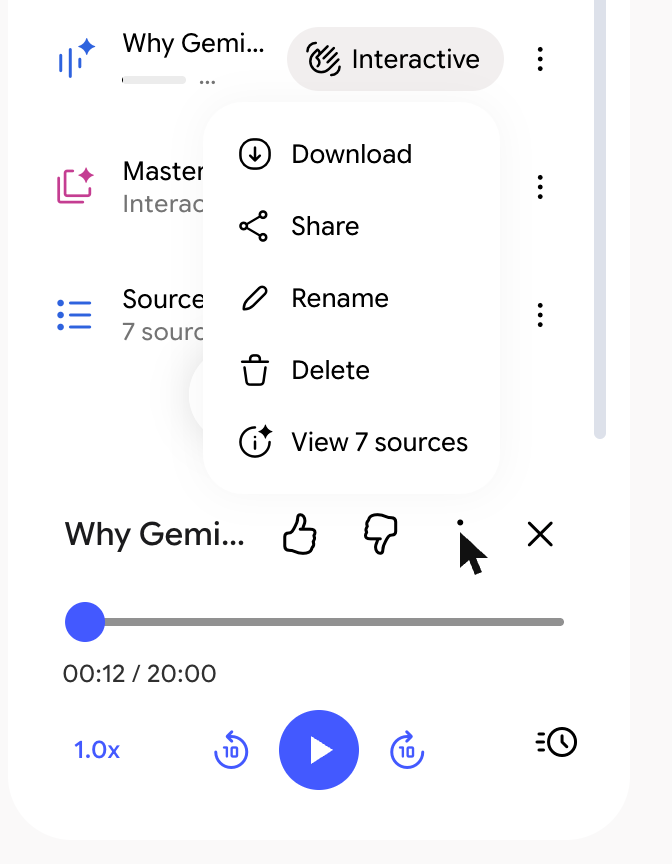
Playback offers a scrubber, a speed control, ten-second skips and a queue. The output persisted across navigation and reloads. No transcript control was found, and provenance works the same way as the report’s: a single list of the sources behind the whole recording.
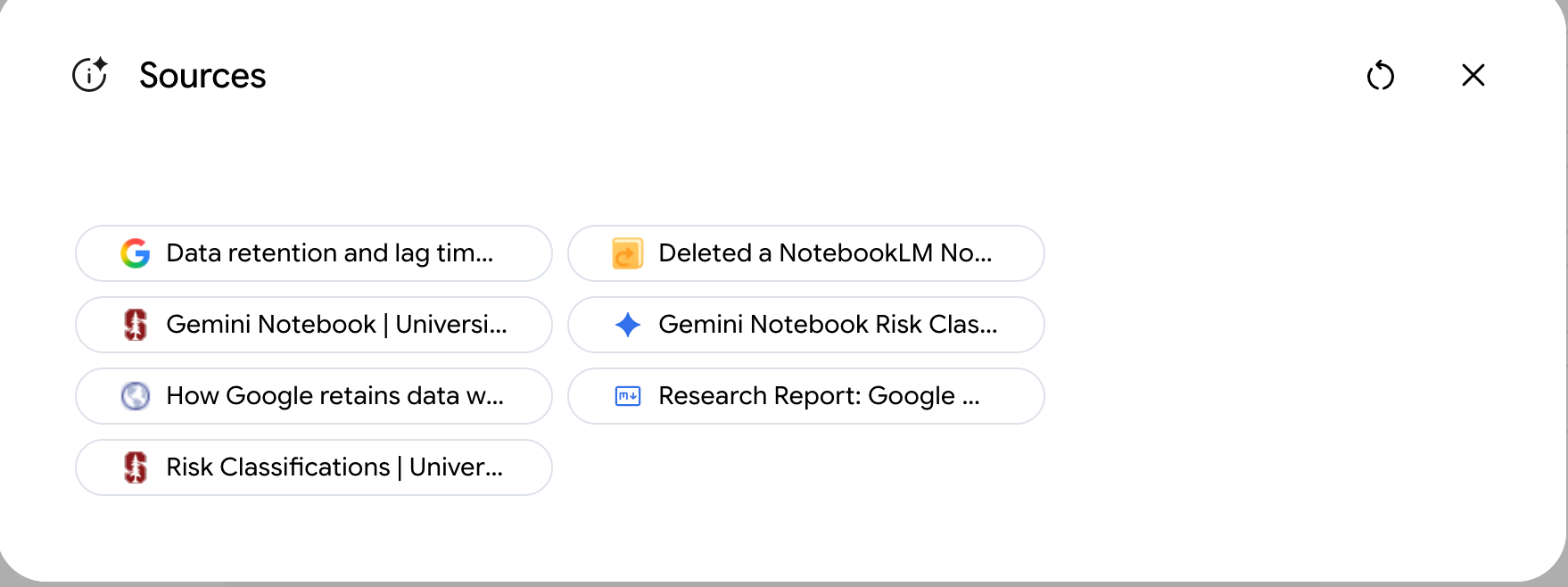
The recording was titled Why Gemini Notebook Deletion Is Permanent. That framing came from the imported third-party material rather than from Stanford or Google documentation, which is the clearest illustration available of a general point: a generated output inherits the strengths and the weaknesses of the set it was built from. The audio is not making things up. It is faithfully amplifying whichever sources were in the room.
An Interactive option appears beside completed audio. It was not tested here, because using it requires the microphone.
What the three have in common
| Output | Provenance offered | Export observed |
|---|---|---|
| Report | Whole-document source list; no in-line citations | Delete only |
| Data Table | Whole-table prompt and source view; a provenance column only if requested | Export to Sheets |
| Audio Overview | Whole-recording source list; no transcript found | Download |
Export availability varies. Claim-level provenance does not: none of the three offered it. The chat gives you numbered citations into specific passages; these outputs give you a list of everything that went in. That is the trade, and it is worth making consciously.
Exercise: ask twice
Generate one structured output from your notebook two ways. First, describe what you want plainly. Then regenerate it, adding an explicit instruction to include a column or a line naming the source behind each row or section.
Compare them and answer one question: which claims in each version could a colleague check without asking you anything? That number is the practical measure of how much provenance the format preserved, and of how much your prompt added back.